Table of Contents
Access the Reviewed Note Popup #
Face Sheet > Past Notes (signed)
Example Task #
Would you like to check past notes which you had signed in the past for a particular patient.
Instructions #
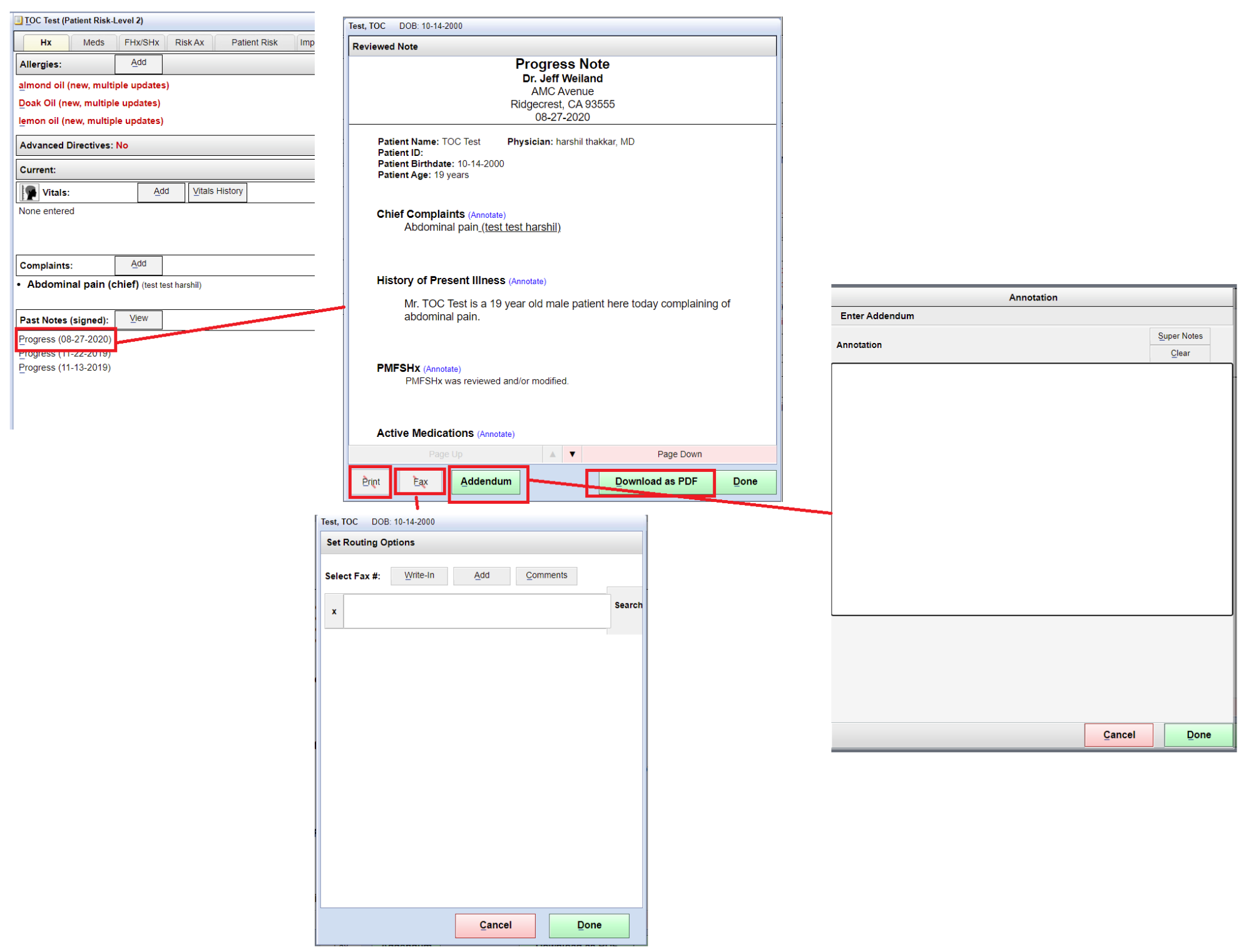
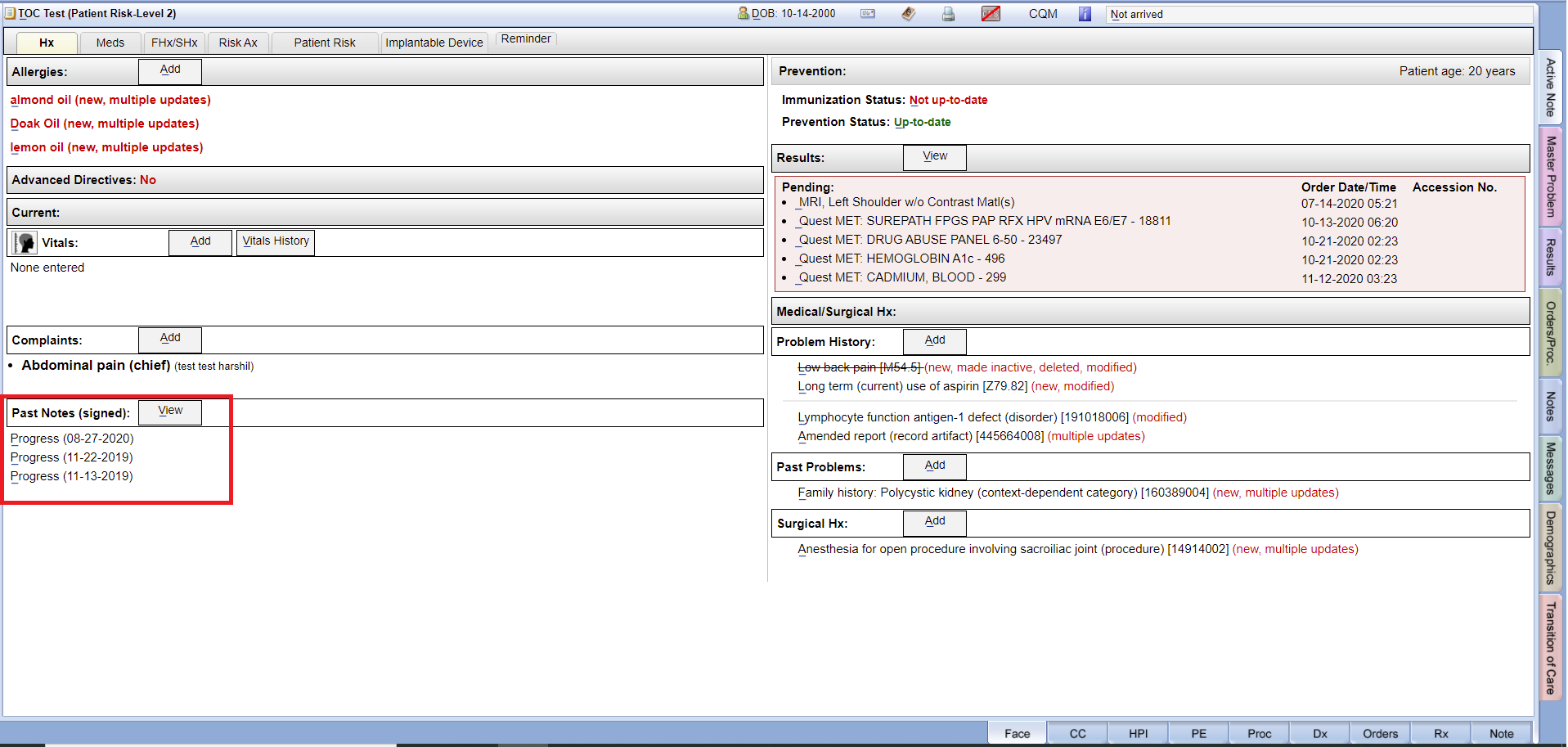
- Navigate to the face sheet. Left hand bottom side you can see Past Notes (signed) section with date wise.
- Select any past note. Here you are able to check, Print, Fax, Add Addendum and Download as PDF.